Click your avatar at the bottom of the sidebar and select Profile. These are your own settings; organization and project access settings control other members' roles.
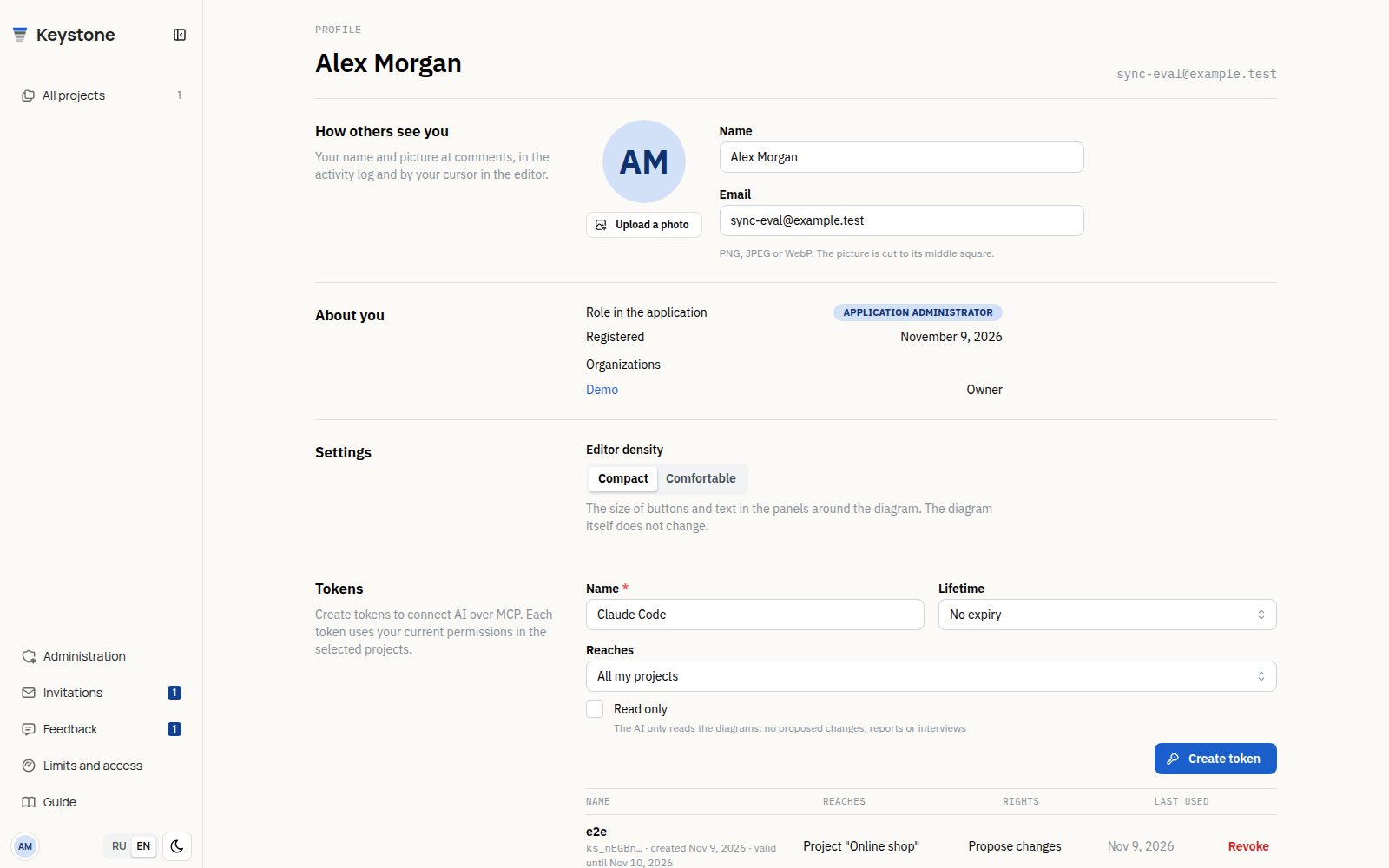
Name, picture and password
Your name saves when you leave the field or press Enter. It appears on comments, member lists and your AI proposals. The email field is informational; it does not change your address.
Upload a picture to crop it to a square from its center. You can replace or remove it; initials appear without a picture. About you shows your application role, registration date and organizations with your roles.
To change your password, enter the current password, a new password of at least 8 characters and its confirmation. A successful change ends your other sign-in sessions. If you do not know the current password, ask an application administrator for a one-time reset link.
Editor density
Choose compact or comfortable controls in settings. This changes the editor's control density and is saved to your account.
AI tokens
AI tokens contains a creation form and your token list. The editor also provides it under AI assistant → Connection.
Choose a name, lifetime and scope: one project, one organization or all your projects. For a project or organization scope, select the specific object. Read only prevents proposals, report writes and interviews even if you are an editor.
Copy the connection settings after creation: the secret is shown once. The list retains names, scope, expiration and usage times; Revoke disables a token immediately. An application administrator can also block it in administration. A token never adds permissions: role changes, revoked access and account blocking apply to AI as well.
See AI for client connections and commands, and Limits and access for access assignments and seats.
Delete your account
Deletion at the bottom of the profile requires confirmation. It removes your personal workspace and projects, tokens and pins. Comments in other people's projects remain without your name. Transfer organizations with other members before deleting your account, and export any projects you need to keep.