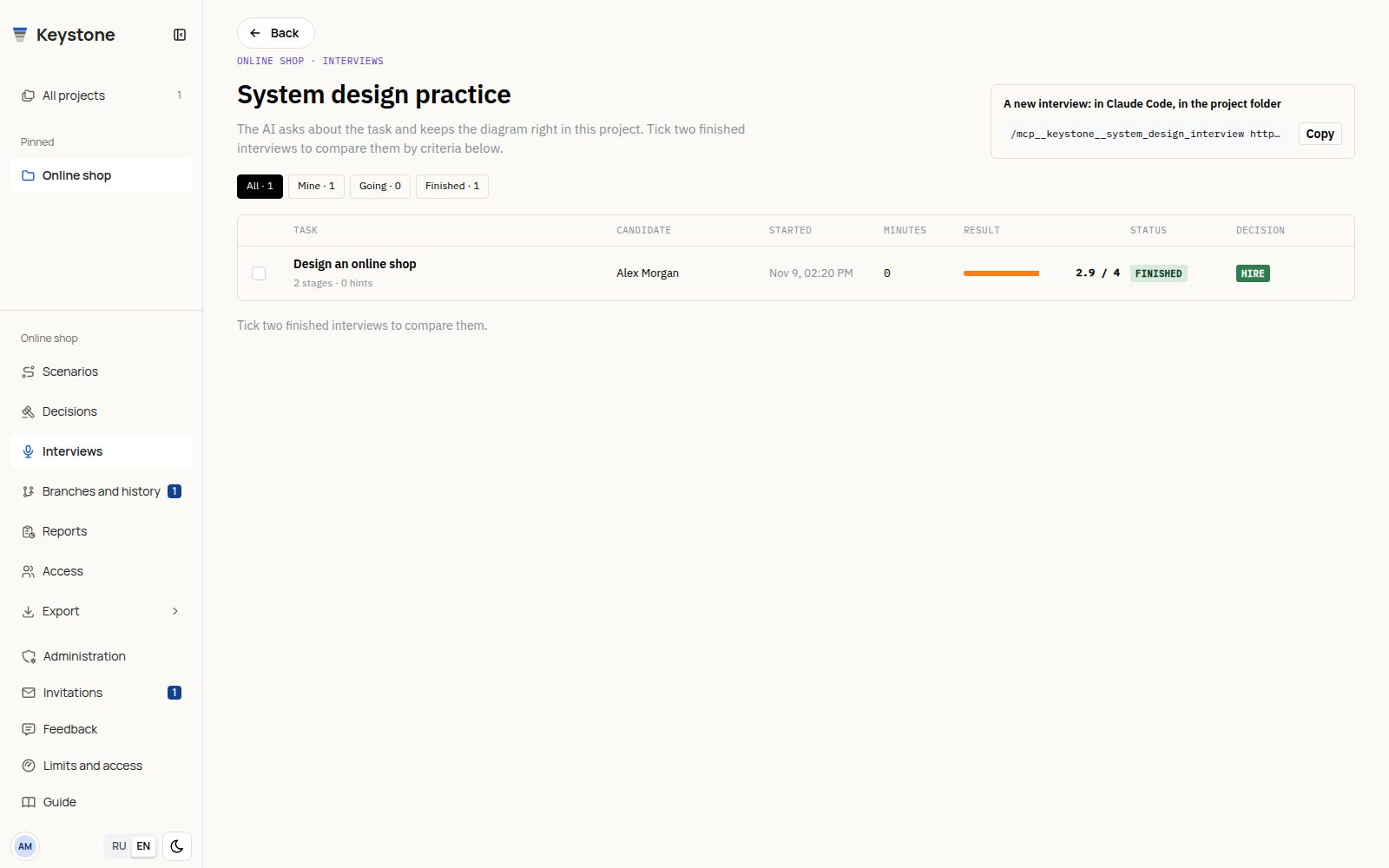
Interviews in the current project's menu lists practice sessions. The project menu remains available here, as in the editor and reports. Back returns to the project.
Start a practice session
Connect your AI to the project and send it a command with the project URL:
/mcp__keystone__system_design_interview https://keystone-core.pro/projects/5 "online shop" middle
The topic and level are optional. Without a topic the AI offers choices; levels are junior, middle, senior and staff. A separate practice project is useful. Your connected AI starts a session; the list page does not run the interview.
The AI interviews you in chat while you draw the design. Seven stages cover scope, estimation, API, data model, high-level design, deep dive and defense. It records agreed volumes, questions, answers, weak spots and hints. Each completed stage keeps a diagram snapshot; the server measures time. A project has one current session; replacing it requires explicit agreement to end the previous one.
List and filters
Filter all sessions, yours, current or finished. Rows show topic, level, participant, status, duration and the result when available. Open a topic to read its details.
Results and recommendations
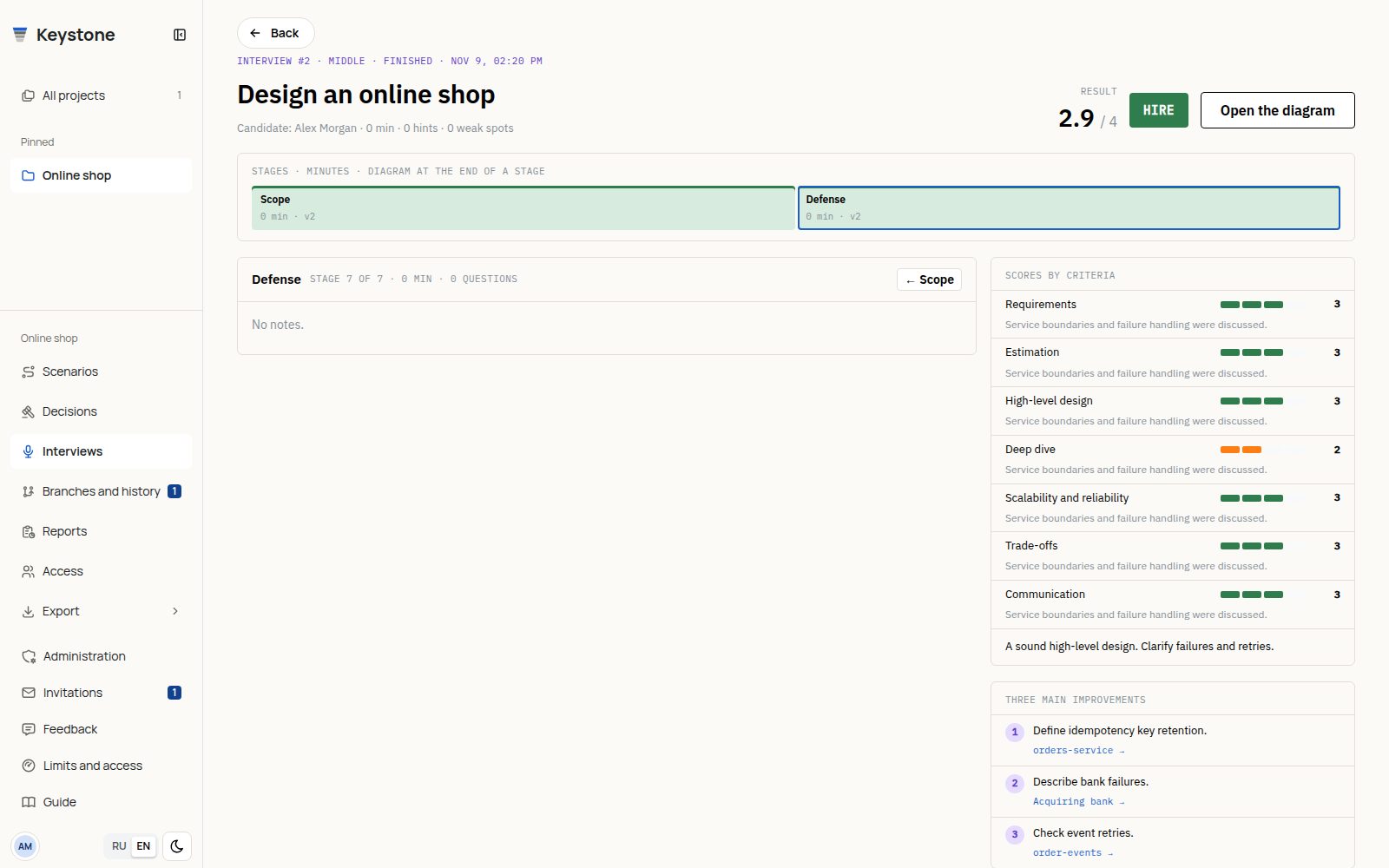
The page shows stage times, task facts, questions and answers, and the final scorecard. A finished interview scores seven criteria from 1 to 4 with evidence, a hire/no-hire result for the selected level and three improvements. This is an AI practice assessment, not an employer's hiring decision.
Improvements linked to model elements also become diagram comments. Element links open them in the project. Active sessions do not yet have a final scorecard. The AI does not give answers or change your diagram without being asked.
Compare two attempts
Select two finished sessions in the list to compare criteria, hints and stage times. The older attempt appears first; differences can help choose your next practice topic. Account for different tasks and levels when interpreting them.
Interview text is stored separately from stage snapshots. Snapshots follow Limits and access; text and scores remain after snapshots expire.