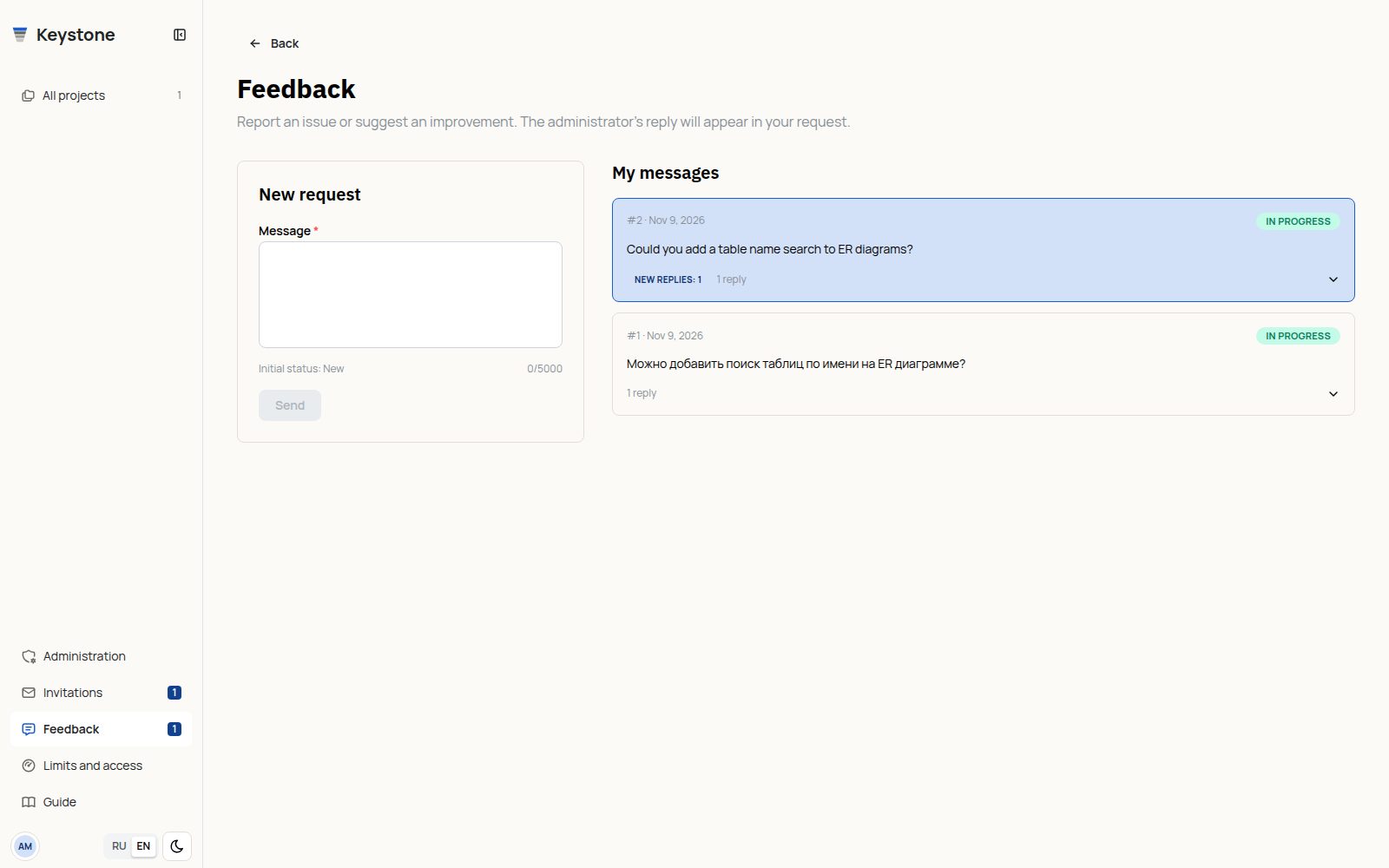
Open Feedback in the side panel. Use New request to report an issue or suggest an improvement. Every submission starts with New status.
My messages sits next to the form, or below it on a narrow screen. Click a request to expand its conversation inline; click again to collapse it. You can send follow-up messages in the same request. Use Show full history to load older messages. Each row shows its reply count.
Users can only read New, In progress and Closed status. Only an application administrator, not an organization owner or administrator, can change status. Other users cannot read your requests.
New administrator replies appear as a count in the menu and a highlight on the request. A reply is marked read when it is visible in the expanded conversation; listing requests does not clear the notification.
Administrators manage requests in the Feedback tab of Administration. Awaiting reply and the administration counter indicate requests awaiting a response to the latest user message. Reading or moving an open request to In progress does not clear the indicator; responding does. Closing the request excludes it from counters.
Choosing a status saves it immediately, without a separate button. The control is temporarily disabled while saving. On failure, an error appears and the current saved status is restored; your reply draft is retained.
Technical routes are hidden from the interface. Only an internal normalized section label is retained for diagnosis, without project IDs, secret path segments, query strings or fragments. Do not include passwords or secret keys in message text.
Up to 3 messages per minute and 20 per rolling day, at most 5000 characters each. There are no attachments.
Closed requests have no unread or awaiting-reply indicators and do not contribute to counters. Their history remains available. Reopening a request recalculates indicators from its conversation.
Open requests and counters refresh every 5 seconds and when you return to the tab. A team reply sent from Administration to your own request is also marked new in your personal inbox until read.
Ticket creation and user follow-ups also share technical admission limits: 12 messages per minute, 100 per day, and 64 KiB of text per minute. New-ticket limits above still apply. On rejection, wait for the server-provided retry delay; no partial message is saved.
Form and conversation history
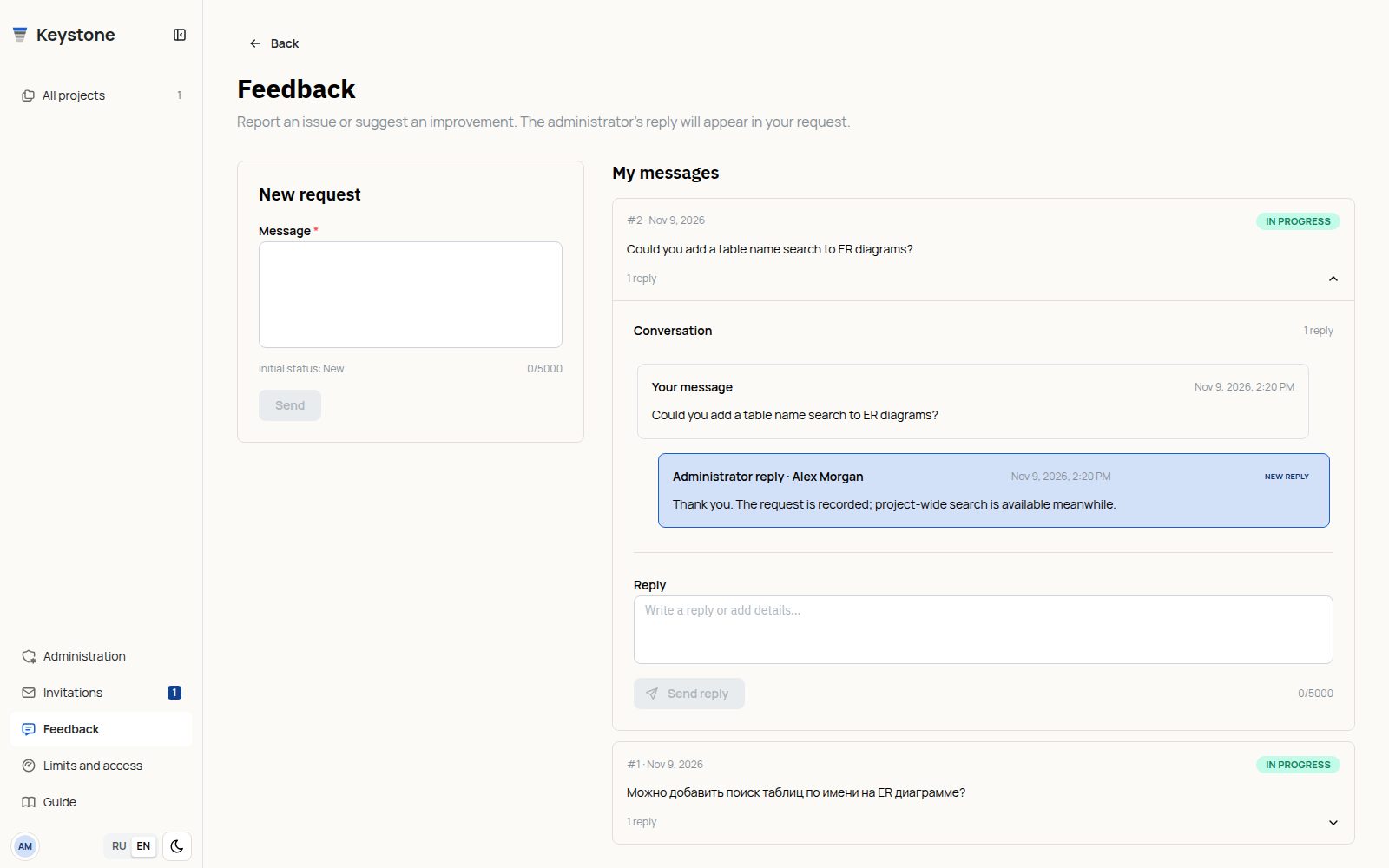
Back returns to the previous working screen. To continue a discussion, expand the existing request and send a clarification rather than creating a duplicate.